


Saw this repo and realized someone had finally solved the problem everyone pretends isn’t annoying: manually cropping screenshots for every single Apple device when launching an iOS app. app‑store‑screenshots is a native skill for AI agents like Claude Code that completely automates the pain away. Just tell the AI what your app does, and it automatically writes marketing copy, applies 3D device frames, and exports perfectly sized assets.
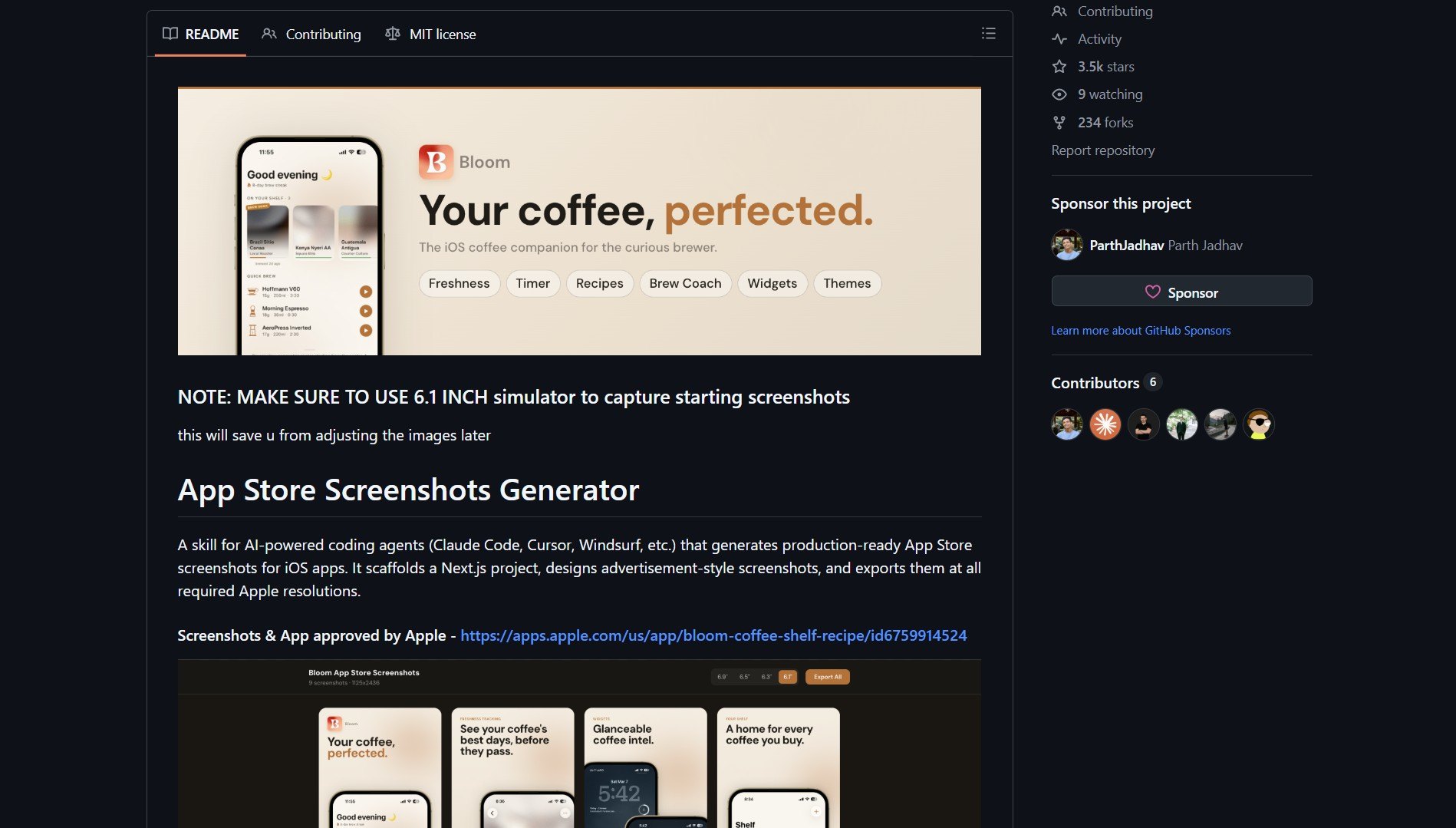 app‑store‑screenshots GitHub repository homepage
app‑store‑screenshots is for iOS developers using AI tools, solving the problem of tedious manual screenshot creation by automatically generating properly sized, marketing‑ready App Store assets. It’s a skill for AI‑powered coding agents (Claude Code, Cursor, Windsurf, etc.) that generates production‑ready App Store screenshots for iOS apps. It scaffolds a Next.js project, designs advertisement‑style screenshots, and exports them at all required Apple resolutions.
What Is App‑Store‑Screenshots?
app‑store‑screenshots is an AI agent skill that transforms the tedious process of creating App Store assets into an automated workflow. Instead of manually cropping screenshots for dozens of device sizes, writing marketing copy, and applying device frames, you simply describe your app to your AI coding assistant, and it handles everything: from generating compelling copy to exporting perfectly formatted images for every Apple device requirement.
[!NOTE] The tool scaffolds a Next.js project internally to create high‑quality, advertisement‑style screenshots with proper device frames, ensuring your App Store presence looks professional without requiring design skills or manual image editing.
How It Works: AI‑Powered Screenshot Pipeline
| Step | Process | Result |
|---|---|---|
| 1. App Description | You tell your AI agent (Claude Code, Cursor, etc.) what your app does | Natural language understanding of your app’s value proposition |
| 2. Project Scaffolding | The skill creates a temporary Next.js project with your app’s UI | A working web environment for screenshot generation |
| 3. Copy Generation | AI writes marketing‑optimized copy for each screenshot | Compelling text that highlights key features |
| 4. Device Framing | Automatically applies 3D device frames (iPhone, iPad) | Professional‑looking screenshots with realistic device mockups |
| 5. Multi‑Resolution Export | Exports images at all required Apple App Store sizes | Ready‑to‑upload assets for every device and orientation |
Key Technical Features
- AI Agent Integration: Works seamlessly with Claude Code, Cursor, Windsurf, and other AI‑powered coding assistants.
- Next.js Scaffolding: Creates temporary web projects to render high‑quality app interfaces.
- Automated Copywriting: Generates marketing‑focused text tailored to your app’s features.
- Device Frame Library: Includes professional 3D device mockups for all current Apple devices.
- Batch Export: Produces all required resolutions (iPhone, iPad, App Store Connect requirements) in one operation.
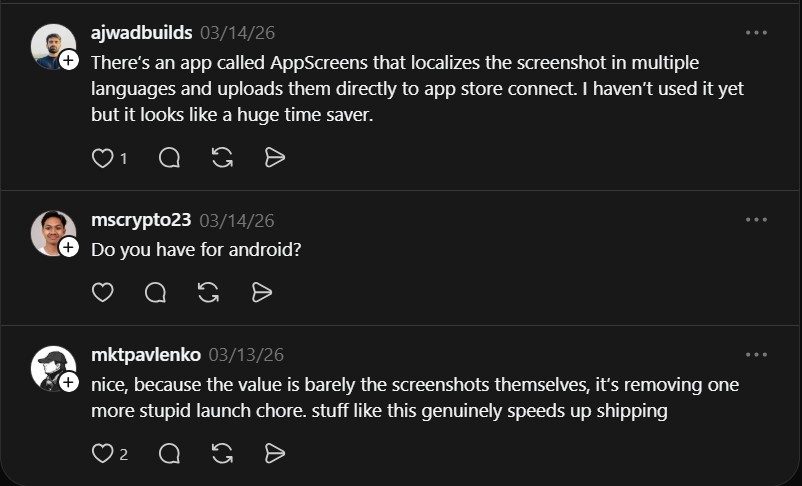 Community discussion about the value of automating launch chores
Community Insight & Real‑World Value
“nice, because the value is barely the screenshots themselves, it’s removing one more stupid launch chore. stuff like this genuinely speeds up shipping” , @mktpavlenko
This comment captures the essence: the real value isn’t just better screenshots, but eliminating a tedious, repetitive task that slows down shipping. By automating this chore, developers can focus on building their app rather than preparing marketing assets.
Why This Changes iOS App Launch Workflow
app‑store‑screenshots addresses a critical bottleneck in the iOS development process: the gap between building a great app and presenting it effectively on the App Store. Here’s how it transforms the workflow:
- Time Savings: Reduces hours of manual screenshot work to minutes of AI‑assisted generation.
- Consistency: Ensures all screenshots follow the same professional styling and quality standards.
- Marketing Optimization: AI‑generated copy is optimized for App Store conversion, not just technical accuracy.
- No Design Skills Required: Developers without design experience can create professional‑looking store assets.
- Rapid Iteration: Easily test different screenshot styles and copy without manual re‑work.
Project Link
app‑store‑screenshots proves that the most impactful automation tools often address the boring, repetitive tasks that developers hate but have accepted as inevitable. By removing this “stupid launch chore,” it lets developers ship faster and with better App Store presentation, turning a necessary evil into a competitive advantage.
This curation is part of Gitafterwork.com, your daily hub for the best trending GitHub repositories. Bookmark us to stay updated on the tools that actually matter—no fluff, just high-impact open source.