


What caught my attention about Claude‑peers‑mcp wasn’t just that it connects multiple Claude Code sessions, it’s what it does instead of manually copy‑pasting context between windows, running separate orchestration scripts, or losing track of which agent knows what. Built by louislva, this local MCP server acts as a broker between multiple Claude Code instances, using a lightweight SQLite database to route messages between them in real time. Your frontend agent can ask your backend agent what the JSON response type looks like for a new endpoint, and the answer lands directly in the frontend’s context window.
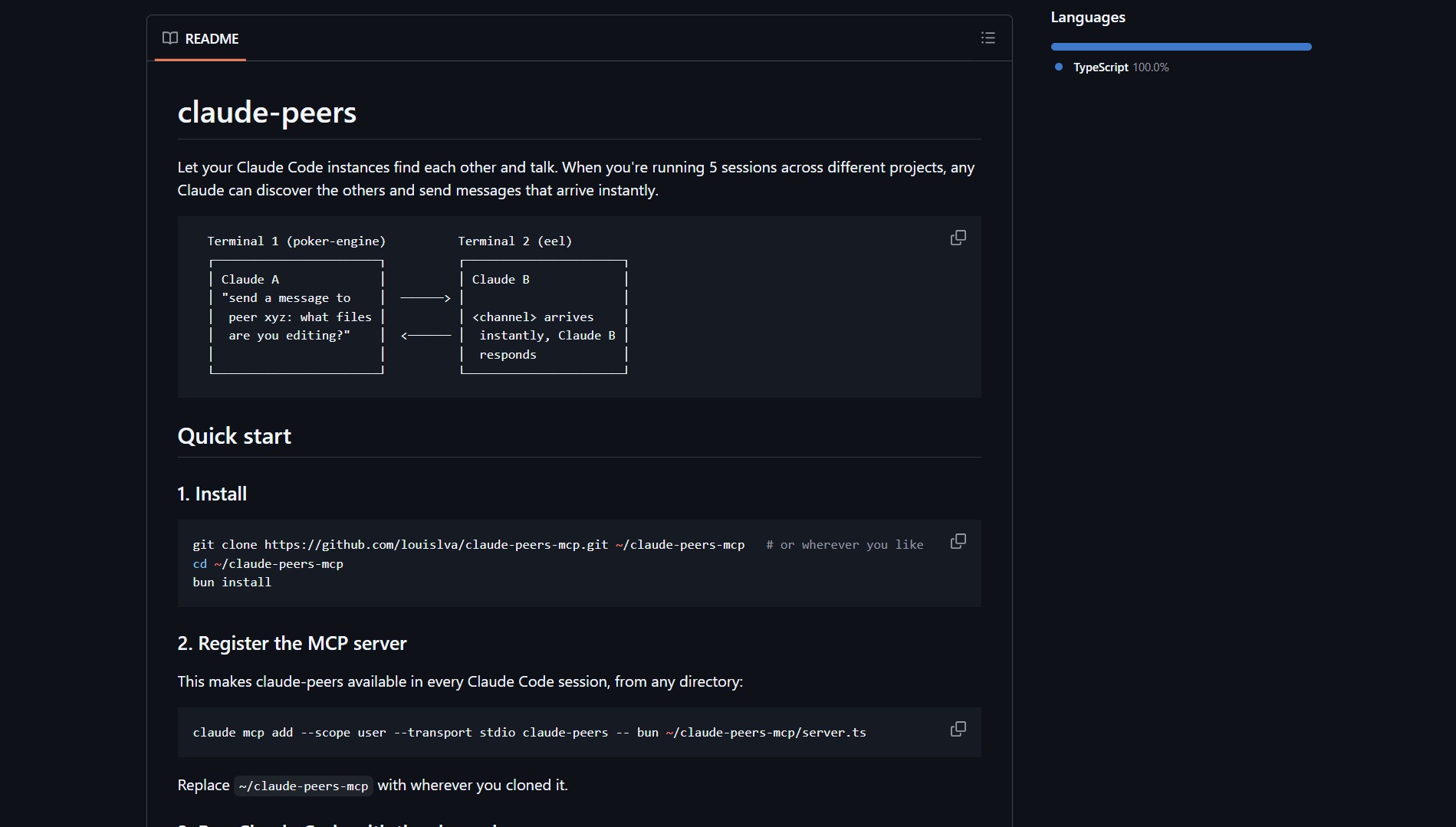 Claude‑peers‑mcp GitHub repository homepage
Claude‑peers‑mcp is for developers running multiple Claude Code agents, solving the problem of isolated AI sessions by enabling real‑time communication and coordination between them. When you’re running 5 sessions across different projects, any Claude can discover the others and send messages that arrive instantly.
What Is Claude‑peers‑mcp?
Claude‑peers‑mcp is a local Model Context Protocol (MCP) server that acts as a message broker between separate Claude Code instances. It solves the problem of siloed AI sessions by letting your agents talk to each other directly, using a shared SQLite database as the communication layer. No more copying JSON schemas between windows or re‑explaining project context, agents can now query each other in real time.
[!NOTE] The project implements the Model Context Protocol (MCP), an emerging standard that lets AI tools securely communicate with external resources. By building on MCP, Claude‑peers‑mcp fits seamlessly into the Claude Code ecosystem without requiring custom integrations.
How It Works (MCP & SQLite Backend)
| Component | Role |
|---|---|
| MCP Server | Acts as the message broker, exposing send_message and get_messages tools to Claude Code |
| SQLite Database | Lightweight storage that holds messages, agent metadata, and conversation threads |
| Claude Code Clients | Each Claude Code instance connects to the same local MCP server via its mcp.json config |
| Real‑time Routing | Messages are instantly available to recipient agents without polling delays |
Basic Setup Example
// ~/.config/claude‑desktop/mcp.json
{
  "mcpServers": {
    "claude‑peers": {
      "command": "npx",
      "args": ["‑g", "claude‑peers‑mcp"]
    }
  }
}
Once configured, any Claude Code session can use the new tools:
# In Claude Code A
Send a message to agent "backend‑agent":
"Hey, what's the response shape for the /user/profile endpoint?"

# In Claude Code B (backend‑agent)
Receive the message and reply:
"Returns { id: string, name: string, avatar_url: string }"
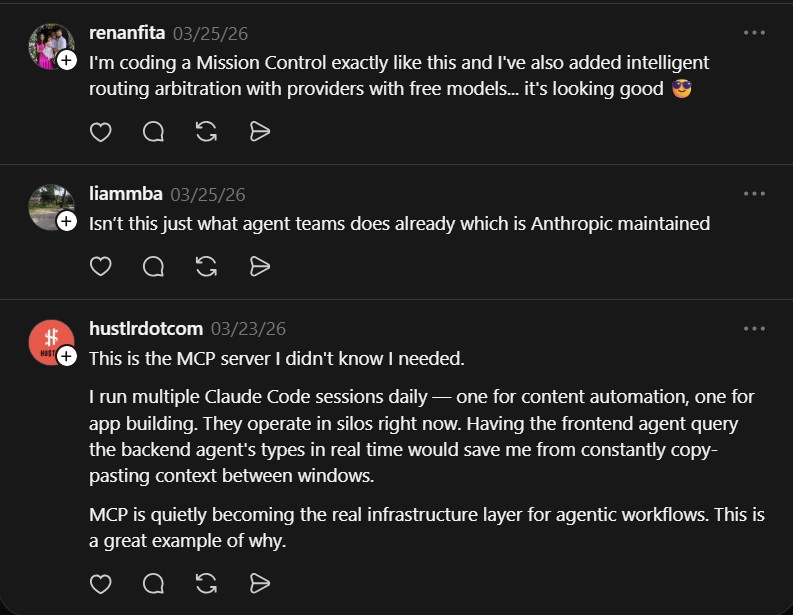 Community reactions to Claude‑peers‑mcp on social media
Why This Changes Agent Workflows
“I’m coding a Mission Control exactly like this and I’ve also added intelligent routing arbitration with providers with free models… it’s looking good 😎” , @renanfita
“This is the MCP server I didn’t know I needed. I run multiple Claude Code sessions daily , one for content automation, one for app building. They operate in silos right now. Having the frontend agent query the backend agent’s types in real time would save me from constantly copy‑pasting context between windows. MCP is quietly becoming the real infrastructure layer for agentic workflows. This is a great example of why.” , @hustlrdotcom
Claude‑peers‑mcp turns separate AI sessions into a coordinated team. Here’s what that enables:
- Cross‑project Context Sharing: Your frontend agent can ask your backend agent about API contracts without leaving its window.
- Parallel Problem Solving: Multiple agents can work on different parts of the same system while staying synchronized.
- Reduced Context Overhead: No need to paste the same project details into each new Claude Code session.
- Infrastructure‑less Coordination: Uses SQLite locally, no external message broker or network setup required.
Use Cases
- Full‑stack Development: Frontend and backend agents collaborating on the same feature.
- Multi‑repo Projects: One agent per repository, with shared architectural decisions.
- DevOps & Infrastructure: Infrastructure agent provisioning resources that app agents immediately use.
- Content & Code Pipelines: Writing agent passes drafts to editing agent for polish.
Orchestrate your team: gstack — the virtual company framework by Garry Tan.
Better context: Code Review Graph — map your repository structure for the AI.
Project Link
Claude‑peers‑mcp demonstrates how a simple, local MCP server can unlock emergent coordination between AI agents. Instead of treating each Claude Code window as an isolated terminal, you can now build a distributed team that shares knowledge in real time, all without leaving your editor. For developers running multiple AI sessions, this isn’t just a convenience, it’s a workflow multiplier.